
Captions Phone Buying Guide for Accessible Workplaces
Use this captions phone buying guide to compare workplace features, compliance needs, integrations, security, and support before you choose.
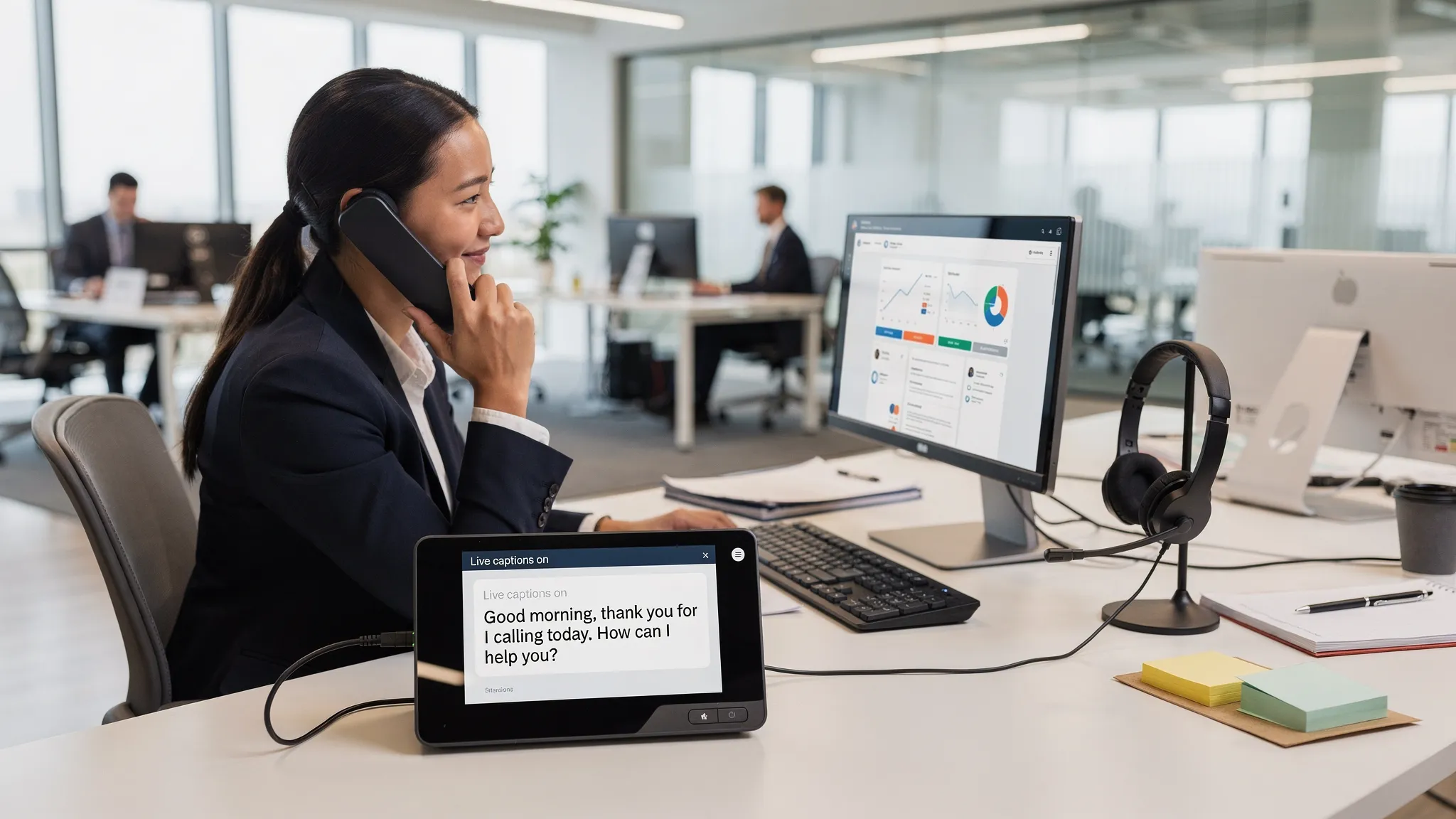
Buying a captions phone for the workplace is not the same as buying a consumer device for a single home user. In an enterprise setting, captioned calling has to work across real phone workflows, IT policies, accessibility requirements, security expectations, and the way employees actually communicate every day.
For many organizations, the goal is not simply to place a phone with a display on someone’s desk. The goal is to make business calls understandable, reliable, and equitable for employees who are deaf, hard of hearing, or who benefit from visual access to spoken conversation. That can involve captioned desk phones, software-based captioning, TTY over IP, real-time text, integrations with existing VoIP systems, and support for emergency communications.
This guide walks through what to evaluate before choosing a captions phone solution for an accessible workplace.
What a captions phone needs to do in a workplace
A captions phone, often called a captioned phone or captioned telephone, displays a text version of spoken words during a phone call. For a workplace user with hearing loss, captions can make the difference between guessing at key details and fully participating in business communication.
In an office, however, captioning needs are broader than basic call transcription. Employees may need to answer internal extensions, make outbound customer calls, join conference calls, interact with Cisco or other enterprise phones, transfer calls, use voicemail, and reach emergency services. If the captioning workflow only works in one narrow calling scenario, it may not be sufficient for daily work.
A good enterprise evaluation starts with one question: what communication tasks must the employee perform without barriers? The answer should guide the buying decision more than the device category itself.
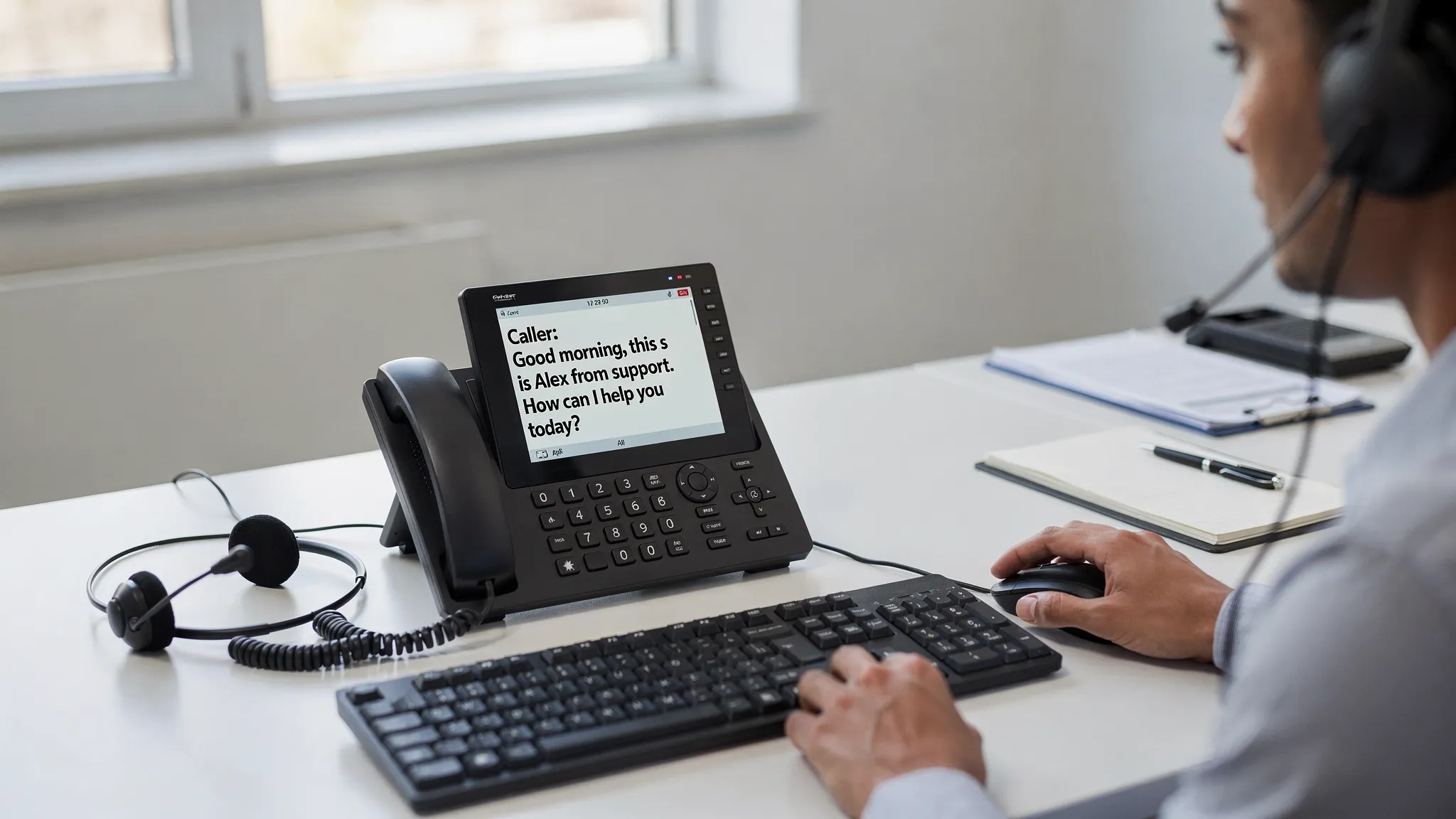
Common workplace use cases for captioned calling
Different teams need captioning for different reasons. A buying process that starts with use cases is usually more successful than one that starts with product comparisons.
An individual accommodation may be the most immediate use case. For example, an employee who is hard of hearing may need captions for inbound and outbound calls as part of their essential job functions. In this scenario, reliability, privacy, ease of use, and compatibility with the employee’s phone setup are critical.
A customer-facing team may need a more scalable approach. Contact center agents, help desk staff, receptionists, or benefits administrators may handle sensitive and time-sensitive conversations all day. Captioning needs to keep pace with fast calls, transfers, names, numbers, and industry-specific vocabulary.
Hybrid and remote work adds another layer. A desk-only device may not help an employee who splits time between home, office, and shared workspaces. Software-based captioning or accessible desktop applications may be more practical when employees do not always use the same physical phone.
Emergency and operational communication should also be included. If an employee relies on captions or text communication, the organization should understand how that user can contact security, facilities, IT support, and emergency services. Accessible communication cannot stop at routine business calls.
Hardware, software, and enterprise captioning options
There is no single best format for every organization. The right captions phone approach depends on your phone environment, workforce needs, compliance obligations, and support model.
| Option | Best fit | What to verify before buying |
|---|---|---|
| Dedicated captioned desk phone | Employees with assigned desks and stable phone workflows | Compatibility with your phone service, call routing, support, and emergency calling procedures |
| Software-based captioning | Hybrid workers, softphone users, and teams that rely on computers for calls | Operating system support, authentication, headset behavior, updates, and remote deployment |
| Enterprise captioning solution | Organizations that need managed captioning across teams or locations | Administration controls, privacy, integration with enterprise telephony, and user onboarding |
| TTY over IP or real-time text | Users who need text-based telephone communication, legacy TTY support, or emergency communication alignment | Interoperability, NG 9-1-1 planning, user training, and policy requirements |
| Accessible phone interface | Employees with vision, mobility, hearing, or speech-related access needs | Keyboard access, screen reader behavior, simplified call controls, and compatibility with assistive technology |
Some workplaces will use more than one option. For example, a front desk employee may need a caption-capable station phone, while a remote employee may need software captioning and accessible desktop call controls. Procurement should allow for flexibility rather than forcing every user into the same workflow.
Accessibility and compliance considerations
A captions phone decision often connects directly to accessibility compliance, but compliance should not be treated as a single checkbox.
Under the Americans with Disabilities Act, employers may need to provide reasonable accommodations for qualified employees with disabilities. ADA guidance also emphasizes effective communication in many public-facing contexts. The U.S. Department of Justice provides helpful information on effective communication under the ADA, including the need to consider the nature, length, complexity, and context of communication.
For federal agencies and organizations that support them, Section 508 is also important. Section 508 requires federal information and communication technology to be accessible. The official Section508.gov site provides guidance for ICT accessibility, procurement, and conformance.
Telecommunications relay services and captioned telephone services may also be regulated in specific contexts. The FCC maintains information about Telecommunications Relay Services, including services that enable people with hearing or speech disabilities to communicate by phone. Employers should not assume that a consumer relay option automatically satisfies every enterprise accessibility, security, or workflow requirement.
Emergency communication is another area to examine. As public safety networks evolve, NG 9-1-1 planning increasingly matters for accessible communications. The national 911 program provides background on Next Generation 911 and the modernization of emergency communications. Organizations should ask vendors how their solutions support accessible emergency communication workflows and how users are trained to place urgent calls.
This article is not legal advice. For legal obligations, organizations should work with qualified counsel, accessibility leaders, and technology experts.
Key buying criteria for a workplace captions phone solution
A buying guide should help you move from general accessibility goals to specific evaluation criteria. The following factors are especially important for IT, HR, procurement, and accessibility teams.
Caption accuracy and latency
Captions need to be accurate enough for business decisions and fast enough for natural conversation. Delayed captions can make it difficult to respond at the right time, especially when a caller is giving a name, account number, address, medication detail, policy question, or technical instruction.
Ask vendors how captions are generated. Some solutions may use automated speech recognition, some may use human-assisted captioning, and others may use a hybrid approach. Each model has implications for speed, accuracy, privacy, availability, and cost.
During a pilot, test real workplace calls rather than only scripted demos. Include accents, background noise, speakerphones, hold music, transfers, acronyms, and industry terminology. If your organization handles regulated information, test realistic scenarios while following your data protection policies.
Integration with your phone environment
A workplace captioning solution should fit your existing telephony architecture. If your organization uses enterprise VoIP, Cisco phones, softphones, call managers, or contact center systems, confirm how the captions phone solution connects to that environment.
Important integration questions include whether users can answer and place calls through familiar workflows, whether caller ID and extensions behave correctly, whether call transfers are supported, and whether IT can manage the solution at scale. If your environment uses Cisco phones, look for a vendor that can clearly explain Cisco phone integration instead of requiring a completely separate calling process.
User experience for different disabilities
Captioning is often associated with hearing loss, but accessible telephony may also need to support employees with vision, mobility, speech, or cognitive access needs. A solution that captions calls but requires difficult mouse navigation may not work for an employee who relies on keyboard access. A caption display that is visually cluttered may not work well for a user with low vision.
Evaluate the interface with real users whenever possible. Look at font size, contrast, keyboard navigation, screen reader compatibility, call control simplicity, volume control, headset compatibility, and the ability to review captions during a call when appropriate.
Security, privacy, and data handling
Phone calls may include confidential employee information, customer data, financial details, health information, legal discussions, or security incidents. Captioning can create additional data flows, especially if audio or text is processed outside the organization’s network.
Procurement teams should ask how audio is transmitted, whether captions are stored, how long data is retained, who can access it, and what encryption and authentication methods are used. Healthcare, financial services, government, education, and legal organizations may need additional contractual and compliance review.
Administration and support
Enterprise accessibility tools should not depend on one IT specialist remembering a special workaround. Look for a support model that fits your organization’s scale. That may include centralized deployment, user provisioning, documentation, training, help desk escalation, and vendor consultation.
Support also matters for accommodations. If an employee reports that captions are delayed, calls fail, or the interface is inaccessible, the organization needs a fast path to resolution. A captions phone solution is part of the employee’s ability to work, not a nice-to-have accessory.
Emergency communication and continuity
Ask how captioned calling behaves during outages, network disruptions, location changes, and emergency calls. If a user works remotely, how is their emergency calling location handled? If an employee relies on text communication, does the organization have a documented process for urgent contact?
Emergency communication policies should be tested and explained before an incident occurs. This is especially important for organizations aligning with NG 9-1-1 goals or supporting employees in distributed environments.
Procurement checklist for accessible workplaces
Use the following checklist to compare vendors and avoid buying a solution that works in a demo but fails in daily operations.
| Evaluation area | Questions to ask | Strong buying signal |
|---|---|---|
| User need | Which tasks must the employee complete by phone? | Vendor can map features to real job workflows |
| Compatibility | Does it work with our current phone system and devices? | Clear integration path with existing telephony |
| Caption quality | How accurate and fast are captions in realistic calls? | Pilot results are usable in actual business scenarios |
| Accessibility | Does the interface support assistive technology? | Keyboard, screen reader, visual, and mobility needs are considered |
| Security | What happens to call audio and caption text? | Clear data handling, retention, encryption, and access controls |
| Administration | Can IT deploy and support it consistently? | Documented setup, support, and escalation processes |
| Compliance | How does it support ADA, Section 508, and related requirements? | Vendor explains scope without making vague guarantees |
| Emergency use | How are emergency and urgent calls handled? | Accessible emergency procedures are documented and tested |
| Training | Will users and support teams know how to use it? | Training materials and consultation are available |
| Scalability | Can the solution grow with the organization? | Works for individual accommodations and broader programs |
How to run a pilot before full deployment
A pilot is the best way to separate marketing claims from workplace performance. Choose a small group of users whose needs reflect the real environment. Include the employee who requested the accommodation, IT support, a manager when appropriate, and accessibility or HR stakeholders.
Define success criteria before the pilot starts. For example, you may measure whether users can place and receive calls independently, whether captions keep up with normal conversation, whether call transfers work, whether the interface is accessible, and whether help desk staff can support common issues.
Keep feedback practical. Ask users where communication still breaks down, which tasks feel easier, and which workflows require extra effort. A solution that technically captions speech but slows the employee down all day may not be the right fit.
After the pilot, document the approved configuration, training steps, support contacts, emergency calling guidance, and any known limitations. This turns a one-time accommodation into a repeatable accessibility process.
Cost considerations beyond the purchase price
The lowest device price does not always mean the lowest total cost. Workplace captioning may involve software licenses, service subscriptions, network configuration, hardware, headsets, accessibility testing, training, support time, security review, and future expansion.
When comparing options, calculate cost against risk and usability. A cheaper tool that does not integrate with your phone system may create support burden. A solution that lacks clear data handling may delay procurement. A device that only works at one desk may not serve a hybrid employee.
The right question is not only what does this captions phone cost? It is what does accessible, reliable phone communication require for this role and this organization?
Building a long-term accessible telephony strategy
Many organizations begin with one accommodation request, then realize their broader communication environment needs attention. That is common. Phone accessibility touches HR, IT, facilities, security, legal, procurement, and customer service.
A long-term strategy should include accessible phone system software, captioning, text communication options, TTY over IP where needed, clear emergency procedures, and training for support teams. It should also include a process for reviewing new phone tools before purchase so accessibility does not become an afterthought.
This proactive approach reduces last-minute scrambling, improves employee experience, and helps organizations communicate more consistently across the enterprise.
Frequently Asked Questions
What is a captions phone? A captions phone displays text captions of spoken conversation during a phone call. In the workplace, the term may refer to a dedicated captioned desk phone, software captioning, or an enterprise captioning solution integrated with the organization’s phone system.
Is a captioned phone enough for ADA compliance? Not always. A captioned phone may be part of a reasonable accommodation or effective communication strategy, but compliance depends on the user’s needs, job functions, communication context, and the organization’s policies. Legal and accessibility experts should review specific obligations.
Should our workplace choose hardware or software captioning? It depends on how employees work. Dedicated hardware may fit assigned desk environments, while software captioning may be better for hybrid workers, softphone users, and teams that need flexible deployment. Some organizations need both.
Can captions phone solutions work with enterprise VoIP systems? Many workplace solutions are designed for enterprise telephony, but compatibility varies. Verify integration with your current phone system, call routing, devices, headsets, and any Cisco phone environment before purchase.
How are captions, TTY, RTT, and NG 9-1-1 related? Captions provide a text display of spoken audio. TTY and real-time text support typed communication. NG 9-1-1 refers to modernized emergency communication systems. Accessible workplaces should consider how these technologies fit user needs and emergency procedures.
What should IT test before rollout? IT should test inbound and outbound calls, transfers, caller ID, headset behavior, caption speed, accessibility settings, authentication, remote access, security controls, and emergency communication procedures.
Build accessible workplace communication with Tenacity
Choosing a captions phone solution is easier when you look beyond the device and evaluate the full communication environment. Employees need accessible, reliable ways to place calls, receive calls, understand conversations, and communicate in urgent situations.
Tenacity helps organizations support accessible workplace communication with accessible phone system software, TTY over IP, enterprise captioning solutions, real-time text communication, Cisco phone integration, desktop accessibility applications, NG 9-1-1 support, and expert consultation.
If your organization is evaluating captioned calling or building a broader accessible telephony strategy, connect with Tenacity to discuss solutions that support clearer, more inclusive workplace communication.