
Clear Caption Phone Options for Business Accessibility
Compare clear caption phone options for business accessibility, including captions, TTY over IP, RTT, Cisco integration, and compliance needs.
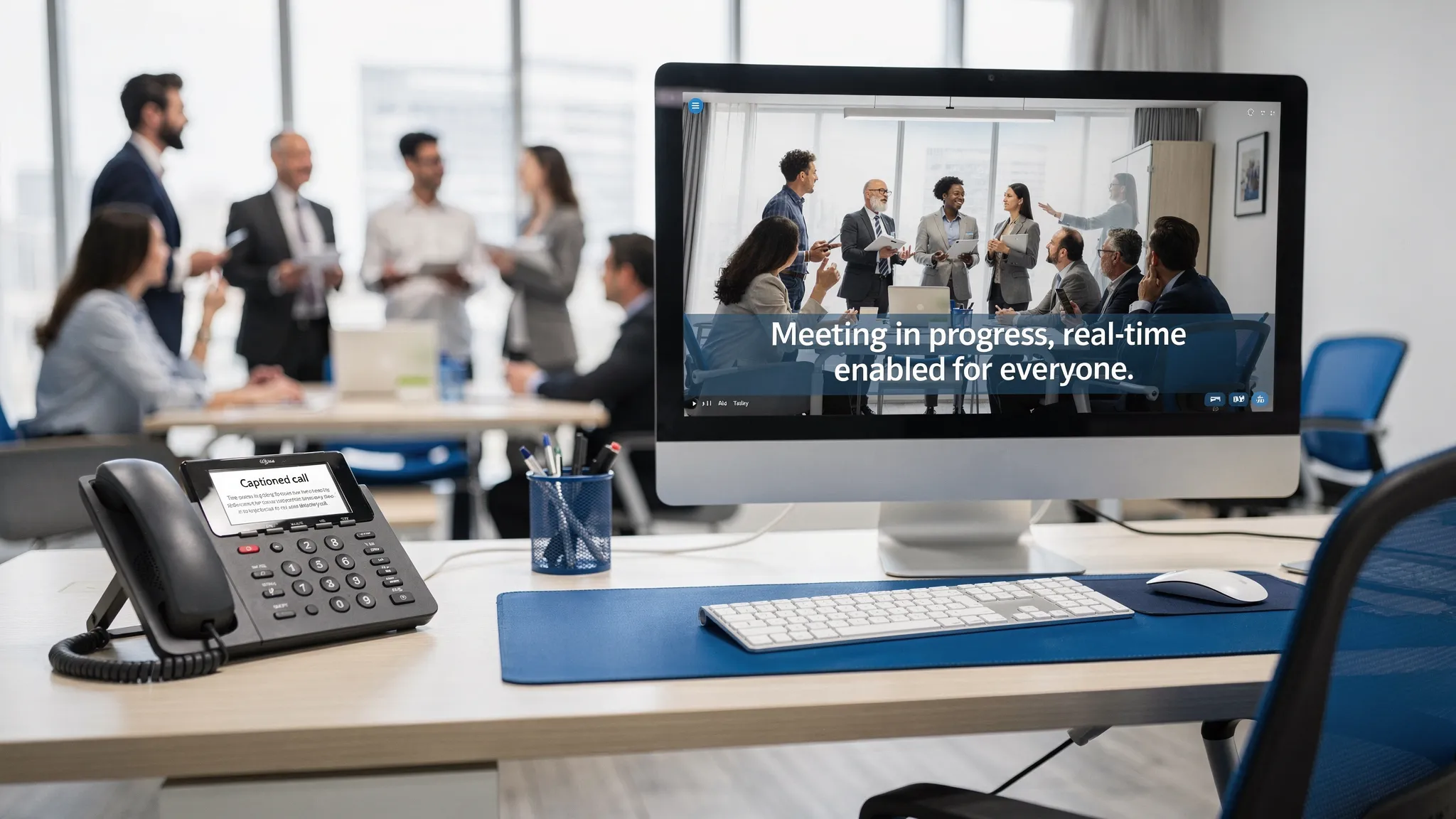
A clear caption phone can be the difference between a call that is merely available and a call that is truly accessible. For employees, customers, patients, constituents, and partners who are deaf or hard of hearing, real-time captions help make spoken conversations easier to follow, document, and respond to with confidence.
For businesses, though, the decision is rarely as simple as buying a single captioned desk phone. Workplace accessibility involves telephony infrastructure, compliance obligations, emergency calling, IT support, security, and the needs of people with different disabilities. The right clear caption phone option may be a physical device, desktop software, TTY over IP, real-time text, enterprise captioning, or a combination of these solutions.
This guide explains the main options and how to evaluate them for a business environment.
Why clear caption phone access matters in the workplace
Phone calls remain essential in many organizations. Sales teams rely on calls to close deals. HR teams use phones for sensitive employee conversations. Healthcare, government, education, utilities, financial services, and contact centers often depend on real-time voice communication for urgent or regulated interactions.
At the same time, hearing loss is common. The National Institute on Deafness and Other Communication Disorders reports that about 15 percent of American adults, or roughly 37.5 million people, report some trouble hearing. In the workplace, this can affect employees, applicants, vendors, and customers.
Clear captions on phone calls support accessibility by turning speech into readable text in real time. This can help users catch names, numbers, technical terms, instructions, and action items that might otherwise be missed. Captions can also reduce fatigue because the user is not forced to rely only on audio cues throughout a long or high-stakes conversation.
The business value is broader than compliance. Better call accessibility can improve productivity, reduce misunderstandings, support employee retention, and make customer service more inclusive.
What counts as a clear caption phone option?
A clear caption phone is commonly understood as a phone or phone interface that displays spoken words as text during a live call. In a consumer setting, that might mean a dedicated captioned telephone device. In an enterprise setting, it can mean several different approaches.
For business accessibility, the category includes:
- Captioned desk phones or phone displays that show live call text
- Desktop applications that provide captions alongside a phone system
- Enterprise captioning solutions for business telephony
- TTY over IP for users who rely on TTY communication in an IP environment
- Real-time text communication for users who need text to flow instantly during a call
- Accessible telephony interfaces designed for users with hearing, speech, mobility, or vision-related needs
The key question is not only whether captions appear. The bigger question is whether the solution works reliably inside your enterprise communication environment.
Clear caption phone options for business accessibility
Different organizations need different combinations of devices, software, and support. The table below summarizes common options and how they fit into workplace accessibility planning.
| Option | Best fit | Accessibility value | Business considerations |
|---|---|---|---|
| Standalone captioned desk phone | Assigned workstations and fixed desks | Gives users a familiar phone with readable captions | May not fit hybrid work, enterprise phone management, or integration needs |
| Desktop captioning application | Office and remote employees using a computer with their phone system | Makes captions available on a larger screen and can support flexible work | Must be compatible with current telephony tools and user workflows |
| Enterprise phone captioning | Organizations standardizing accessibility across teams or departments | Supports consistent call accessibility and centralized implementation | Requires IT planning, user training, and support processes |
| TTY over IP | Users and organizations that still depend on TTY communication | Preserves text telephone access in IP-based environments | Needs careful network and telephony compatibility review |
| Real-time text communication | Users who need immediate text-based conversation during live communication | Sends text as it is typed, supporting faster interactive exchange | Should be evaluated alongside phone system, emergency calling, and compliance needs |
| Cisco phone integration | Businesses with Cisco phone environments | Helps accessibility fit into existing enterprise telephony investments | Integration should be assessed based on device models, call flows, and user needs |
| NG 9-1-1 aligned accessibility | Workplaces with emergency communication responsibilities | Supports more inclusive emergency communication planning | Requires coordination with internal safety, IT, and telecom stakeholders |
A dedicated captioned phone may work well for one employee at one desk. A larger enterprise, however, may need a software-based approach that can support multiple locations, remote work, and different accessibility needs without creating a patchwork of disconnected tools.
Business-ready features to look for
When comparing clear caption phone options, start with the user experience, then evaluate the enterprise requirements behind it. A captioning solution that looks good in a demo can still fail if it is difficult to deploy, inconsistent across locations, or unsupported by the existing phone environment.
Key evaluation areas include:
- Caption clarity and timing: Captions should be readable, accurate enough for the use case, and delivered with minimal delay.
- Telephony compatibility: The solution should work with your current business phone system, devices, and call flows.
- Accessibility breadth: Consider users with hearing loss, speech loss, mobility limitations, low vision, or multiple access needs.
- Ease of use: Employees should not need complicated workarounds to place, receive, caption, or manage calls.
- Remote and hybrid support: If employees work from multiple locations, accessibility should not depend only on a single office device.
- Emergency communication: The solution should be reviewed as part of your emergency calling and NG 9-1-1 planning.
- Support and consultation: Accessibility is not just a product choice. Expert guidance can help align the solution with legal, technical, and operational requirements.
This is where enterprise accessibility differs from personal assistive technology. A business must think about consistency, governance, documentation, training, and long-term maintainability.
Compliance considerations for captioned business phones
Accessible communication is a legal and operational priority for many organizations. While this article is not legal advice, several frameworks are especially relevant when evaluating phone accessibility.
The Americans with Disabilities Act requires covered employers and public-facing organizations to provide equal access and reasonable accommodations in many circumstances. The Department of Justice also provides guidance on effective communication under the ADA, including the need to ensure communication with people with disabilities is as effective as communication with others.
Section 508 applies to federal agencies and, in many practical contexts, affects vendors and contractors that provide information and communication technology to the federal government. The Section 508 program explains the requirements for accessible ICT in federal environments.
For telecommunications, the Federal Communications Commission oversees relay services, including Internet Protocol Captioned Telephone Service. Businesses should understand whether a consumer captioned telephone service is appropriate for workplace use and should verify any eligibility, service, security, or operational requirements before adopting it in a business environment.
Real-time text is also important. The FCC describes real-time text as text transmitted instantly as it is typed, which can support more natural text-based conversation than message-by-message systems. For some users, RTT or TTY over IP may be a better fit than captions alone.
Emergency calling should not be an afterthought. NG 9-1-1 is the transition to more modern, IP-based emergency communication. 911.gov explains that NG 9-1-1 is designed to improve how the public shares information with 911 centers and how 911 centers manage emergency data. Organizations should ensure accessibility planning includes emergency workflows, not just everyday business calls.
Matching the solution to the user need
A strong accessibility program avoids one-size-fits-all assumptions. Some users need captions because they are hard of hearing. Others need text communication because they are deaf, have speech loss, or cannot use standard voice calling comfortably. Some may need a simplified or accessible interface because of mobility or vision-related barriers.
| User need | Helpful option | Why it matters |
|---|---|---|
| Employee has hearing loss but uses voice calls | Clear call captions or enterprise captioning | Captions provide visual support while preserving spoken conversation |
| Employee relies on text telephone communication | TTY over IP | Maintains access as organizations move from legacy systems to IP telephony |
| Employee needs live text conversation | Real-time text | Supports faster back-and-forth communication than delayed messaging |
| Employee works remotely or hybrid | Desktop accessibility application | Makes access less dependent on a specific physical phone at the office |
| Organization uses Cisco phones | Accessible software with Cisco integration | Helps accessibility align with existing enterprise telephony infrastructure |
| Workplace must plan for emergencies | NG 9-1-1 support and accessible emergency workflows | Ensures accessibility is included in urgent communication scenarios |
The best answer may combine multiple tools. For example, a user may need captions for standard calls and real-time text for certain interactions. A department may need accessible phone software for employees and additional captioning support for customer-facing teams.
A practical rollout plan for businesses
Choosing a clear caption phone option should be treated as an accessibility implementation, not a one-time purchase. A structured rollout helps prevent gaps and gives employees confidence that the tool will work when they need it.
- Assess actual communication needs: Identify who needs access, what types of calls they handle, where they work, and whether they need captions, TTY, RTT, or a broader accessible interface.
- Review the current phone environment: Document your phone system, desk phones, softphones, contact center tools, Cisco infrastructure, network constraints, and remote work setup.
- Map compliance obligations: Determine whether ADA, Section 508, procurement rules, internal accessibility policies, or emergency communication requirements apply.
- Pilot with real users: Test the solution with employees who will rely on it, not only IT administrators. Measure ease of use, caption readability, call handling, and workflow fit.
- Plan training and support: Provide simple instructions for users, managers, help desk teams, and telecom administrators so issues can be resolved quickly.
- Document accommodation processes: Make it clear how employees request accessible phone support, how changes are approved, and who maintains the technology.
- Revisit the setup regularly: Phone systems, employee roles, office locations, and compliance expectations change. Accessibility should be reviewed as part of ongoing IT governance.
A thoughtful rollout also helps avoid overbuying. Some teams may need a dedicated captioning interface, while others may need TTY over IP, RTT, or consultation on how to adapt existing phone systems.
Where Tenacity fits
Tenacity provides accessible communication solutions for workplaces that need clear, inclusive, and compliant telephony. Its software products support users with vision, mobility, hearing, or speech loss and help organizations meet accessibility standards and mandates.
For businesses comparing clear caption phone options, Tenacity is especially relevant when accessibility must work inside an enterprise environment. Tenacity offers accessible phone system software, TTY over IP, enterprise captioning solutions, real-time text communication, desktop accessibility applications, Cisco phone integration, support for NG 9-1-1, and expert consultation.
That combination matters because business accessibility often requires more than a device. It requires a solution that fits the organization, the user, the phone system, and the compliance context.
Frequently Asked Questions
What is a clear caption phone? A clear caption phone is a phone or phone interface that displays spoken words as readable text during a live call. In business settings, this can be a physical captioned phone, desktop software, enterprise captioning, or another accessible telephony tool.
Are consumer captioned phones enough for a workplace? Sometimes a standalone captioned phone may help an individual user, but businesses should evaluate integration, security, support, remote work, compliance, and emergency communication needs before relying on a consumer-style solution.
Do clear caption phone solutions help with ADA compliance? They can be part of an ADA accessibility strategy, especially when they support effective communication or reasonable accommodation. However, compliance depends on the organization, use case, and implementation, so legal or accessibility expertise may be needed.
What is the difference between captions and real-time text? Captions convert spoken words into text for a user who is listening to or participating in a voice call. Real-time text transmits typed characters immediately as they are entered, which can be better for users who need text-based conversation rather than voice-based conversation.
Why would a business need TTY over IP? Some users and workflows still rely on TTY communication, while many organizations have moved to IP-based phone systems. TTY over IP helps preserve TTY access in modern telephony environments.
Can clear caption phone options work with Cisco phones? They can, depending on the solution and the organization’s Cisco environment. Tenacity supports integration with Cisco phones, and businesses should review compatibility based on their phone models, infrastructure, and user needs.
Build accessible phone communication with confidence
Clear caption phone access is not just about displaying words on a screen. It is about making business communication more usable, inclusive, and reliable for everyone who depends on it.
If your organization needs accessible telephony, captioning, TTY over IP, real-time text, Cisco phone integration, or NG 9-1-1 support, Tenacity can help you evaluate the right path forward. Start with the needs of your users, then build a communication environment that supports accessibility across the enterprise.