
How Captioned Telephone Systems Improve Workplace Access
Learn how captioned telephone systems improve workplace access, support ADA and Section 508 goals, and help employees communicate clearly.
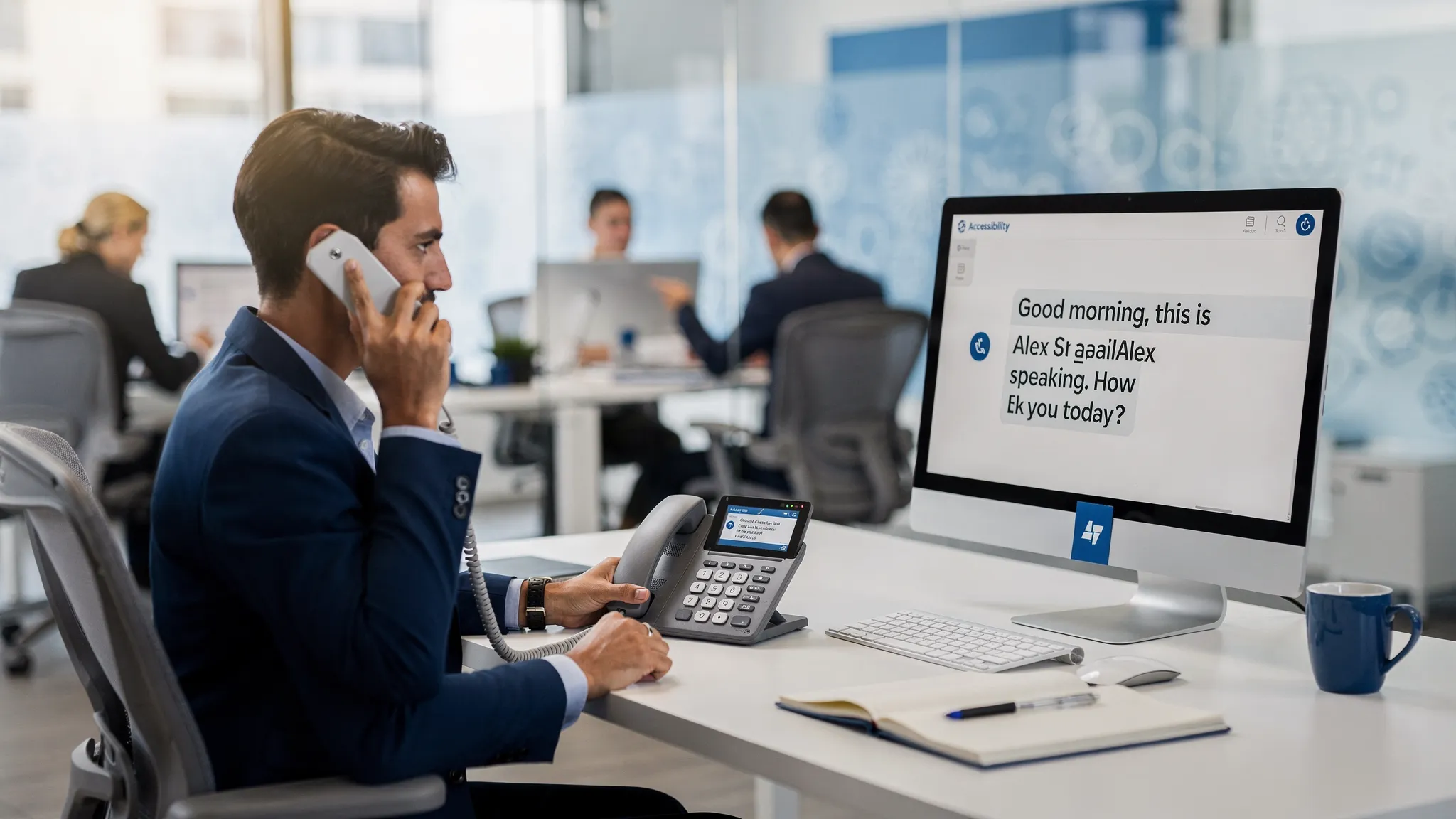
Phone calls remain central to business communication. Employees still use them to support customers, coordinate with vendors, interview candidates, respond to emergencies, and collaborate across distributed teams. Yet for workers with hearing loss, auditory processing challenges, speech disabilities, or certain mobility needs, a standard voice-only phone call can create unnecessary friction.
A captioned telephone system helps remove that barrier by making spoken conversations visible in real time. Instead of relying only on audio, users can read captions while they listen, respond, and participate in the call. For organizations that care about accessibility, compliance, and productivity, that shift can make workplace communication more equitable and more reliable.
What Is a Captioned Telephone System?
A captioned telephone system displays text captions of a phone conversation while the call is happening. The user can listen to the other party, read the captions, and speak back using their voice or other supported communication methods, depending on the solution.
In a workplace setting, captioning may be delivered through dedicated telephone software, a desktop accessibility application, an enterprise captioning tool, or an integrated phone environment. The goal is simple: make telephone communication easier to understand for people who cannot reliably access voice audio alone.
Captioned telephone systems are especially valuable because they preserve the familiar phone experience. Employees can continue to participate in live calls, but they gain an added visual channel that supports comprehension, confidence, and accuracy.
| Communication option | Best suited for | Workplace access value |
|---|---|---|
| Standard voice phone | Users who can fully access spoken audio | Fast and familiar, but not accessible for everyone |
| Captioned telephone | Users who benefit from reading speech while listening | Adds real-time text support to live calls |
| TTY over IP | Users who rely on TTY communication | Supports text-based telephony in modern IP environments |
| Real-time text | Users who need character-by-character text communication | Enables immediate, conversational text exchange |
Captioned telephone is not the only accessible communication tool a workplace may need. However, it is one of the most practical upgrades for organizations where phone calls are still an essential part of the job.
Why Workplace Phone Access Matters
Accessibility is often discussed in terms of websites, documents, and physical spaces. Those areas matter, but communication systems are just as important. If an employee cannot access a phone system, they may be excluded from customer conversations, internal meetings, emergency notifications, and day-to-day collaboration.
The need is significant. The National Institute on Deafness and Other Communication Disorders reports that approximately 15% of American adults report some trouble hearing. In an enterprise environment, that can include employees, contractors, customers, job applicants, and visitors who interact with the organization by phone.
Workplace access is also a compliance priority. The Americans with Disabilities Act requires covered employers to provide reasonable accommodations for qualified employees with disabilities, unless doing so would create undue hardship. For federal agencies and many organizations working with the federal government, Section 508 sets accessibility requirements for information and communication technology.
A captioned telephone system can be part of a broader accessibility strategy. It helps organizations move from reactive accommodations to a more inclusive communication environment where employees have tools that support participation from the start.
How Captioned Telephone Systems Improve Workplace Access
Captioned telephone systems do more than display text. They change the experience of using the phone at work. For employees who struggle with voice-only communication, captions can improve clarity, reduce stress, and make routine calls more manageable.
They Reduce Missed Information
Phone calls move quickly. Names, numbers, addresses, technical details, and next steps can be easy to miss, especially when audio quality is poor or speakers have unfamiliar accents. A captioned telephone system gives users a second way to confirm what was said.
This matters in roles where accuracy is critical. A customer support representative may need to capture a case number. A benefits coordinator may need to understand a medical plan question. A facilities manager may need to receive urgent instructions. Captions help reduce the risk that important details are lost.
They Support Employees With Hearing Loss
For many people with hearing loss, phone communication is more difficult than in-person communication. Visual cues such as facial expressions and lip movement are usually absent. Background noise, speakerphone audio, and inconsistent volume can make comprehension even harder.
Captioned telephone systems help fill that gap. Employees can listen and read at the same time, using the captions to confirm words they did not hear clearly. This can make phone work less exhausting and more accessible throughout the day.
They Improve Confidence in Customer and Vendor Calls
When employees are uncertain about what they heard, they may avoid phone calls, ask people to repeat themselves frequently, or move conversations to email even when a live call would be faster. That is not a performance issue. It is often an access issue.
With captioning support, employees can participate more confidently in real-time conversations. They can focus on the substance of the call rather than spending extra mental effort trying to decode unclear audio.
They Help Hybrid and Distributed Teams Communicate
Remote and hybrid work have increased reliance on digital communication, but phone calls have not disappeared. Employees may use desk phones, softphones, contact center tools, mobile devices, and unified communications platforms across different locations.
Accessible phone system software helps ensure that accessibility travels with the employee. A desktop accessibility application or enterprise captioning solution can support users in office, remote, and hybrid environments, depending on the organization’s technology stack.
They Strengthen Emergency Communication Readiness
Emergency communication must be accessible. Employees need to be able to contact emergency services, security teams, help desks, and internal response groups when it matters most.
For organizations modernizing telephony, accessibility should be considered alongside emergency calling and NG 9-1-1 planning. Captioned telephone, TTY over IP, and real-time text capabilities can all play a role in helping users communicate clearly in urgent situations.
Captioned Telephone and Compliance: What Organizations Should Know
A captioned telephone system can support accessibility obligations, but it should not be treated as a single solution that automatically satisfies every legal requirement. Compliance depends on the organization, the workplace context, the employee’s needs, and how communication systems are implemented.
For ADA accommodation requests, employers should engage in an interactive process with the employee. That process helps determine which tools or adjustments are effective for the person’s role. Captioned telephone may be appropriate for one employee, while another may need real-time text, TTY support, relay services, assistive listening tools, or a combination of options.
For Section 508, the focus is on accessible information and communication technology. If a phone system, desktop telephony application, or communication platform is used in a covered environment, accessibility should be evaluated during procurement, deployment, and ongoing management.
The best approach is to treat captioned telephone as part of an enterprise accessibility program. That means involving IT, accessibility leaders, HR, legal or compliance teams, procurement, and employees with disabilities when selecting and implementing solutions.
Key Features to Look for in a Workplace Captioned Telephone System
Enterprise environments are different from individual consumer use cases. A workplace captioned telephone system must fit into existing telephony workflows, security expectations, support processes, and compliance needs.
| Feature or capability | Why it matters |
|---|---|
| Enterprise captioning | Helps support captioning needs across business communication workflows |
| Integration with existing phone systems | Reduces disruption and helps employees use familiar calling tools |
| Cisco phone compatibility | Important for organizations already using Cisco telephony environments |
| TTY over IP | Supports users and workflows that still rely on TTY communication |
| Real-time text communication | Enables accessible, immediate text-based conversation |
| Desktop accessibility applications | Gives users accessible telephony tools directly at their workstation |
| NG 9-1-1 support | Helps align accessibility planning with modern emergency communication needs |
| Expert consultation and support | Helps organizations evaluate needs, deploy correctly, and avoid accessibility gaps |
Caption quality, latency, ease of use, and training are also important. A system that is technically available but difficult to use may not solve the access problem. Employees should be able to start, receive, and manage calls without navigating unnecessary complexity.
Implementation Best Practices
Deploying captioned telephone systems is not only an IT project. It is a workplace access initiative. The most successful implementations begin with real user needs and connect those needs to the organization’s communication environment.
Start by understanding where phone access barriers occur. Some employees may struggle with customer calls. Others may need captioning for internal conversations, help desk calls, emergency communication, or vendor coordination. Mapping those scenarios helps the organization choose the right mix of captioning, TTY, and real-time text tools.
It is also important to pilot the solution with users who rely on accessible communication. Their feedback can reveal practical issues that a technical review might miss, such as caption readability, call flow confusion, headset compatibility, or difficulties switching between applications.
A strong rollout usually includes:
- Clear guidance on who can request captioned telephone support
- Training for employees, managers, and help desk teams
- Coordination with IT and telecom administrators
- Documentation for accessibility and compliance teams
- A process for reviewing feedback and improving deployment over time
Finally, organizations should avoid treating accessibility tools as exceptions or special favors. When accessible communication is built into standard workplace technology planning, employees are less likely to face delays, stigma, or workarounds that limit productivity.
The Business Value of Better Phone Accessibility
Captioned telephone systems are often justified through compliance, and compliance is important. But the business value goes further.
Accessible communication helps employees do their jobs with fewer barriers. It can improve call accuracy, reduce repeated follow-ups, and support better customer service. It can also help retain experienced workers whose communication needs change over time.
There is a cultural benefit as well. When an organization invests in accessible telephone solutions, it sends a clear message that communication access is a shared responsibility. Employees should not have to choose between disclosing a disability, avoiding calls, or working harder than colleagues just to access the same information.
For customers and partners, accessible communication can also improve trust. A business that makes its internal systems more inclusive is better positioned to serve people with diverse communication needs externally.
Where Tenacity Fits
Tenacity provides accessible communication solutions for workplaces that need clear, inclusive, and compliant telephony. Its software products support users with vision, mobility, hearing, or speech loss, helping organizations remove barriers from everyday business communication.
For enterprises evaluating captioned telephone and related accessibility needs, Tenacity offers solutions that include accessible phone system software, TTY over IP, enterprise captioning, real-time text communication, desktop accessibility applications, Cisco phone integration, NG 9-1-1 support, and expert consultation.
That combination is especially valuable for organizations that need accessibility to work within real enterprise environments, not just as a standalone accommodation.
Frequently Asked Questions
What is a captioned telephone system? A captioned telephone system displays text captions of a phone conversation in real time or near real time, allowing users to read what is being said while they listen and respond.
Who benefits from captioned telephone at work? Employees with hearing loss are common users, but captioning can also help people who experience auditory processing challenges, fatigue from listening, difficult audio conditions, or communication barriers in fast-moving calls.
Does captioned telephone replace TTY or real-time text? Not always. Captioned telephone, TTY over IP, and real-time text serve different communication needs. Many organizations benefit from offering multiple accessible telephony options.
Can captioned telephone help with ADA and Section 508 compliance? It can support accessibility and accommodation efforts, but compliance depends on the organization’s obligations and implementation. Employers should evaluate individual needs and applicable requirements.
What should enterprises consider before choosing a captioned telephone solution? Key factors include compatibility with existing phone systems, caption usability, support for TTY or real-time text, emergency communication needs, deployment support, and employee training.
Make Workplace Calls More Accessible
Accessible communication is essential to an inclusive workplace. If your organization depends on telephone systems, captioning, TTY over IP, real-time text, and accessible telephony should be part of your accessibility strategy.
Tenacity helps enterprises deliver clearer, more inclusive phone communication while supporting ADA, Section 508, and NG 9-1-1 accessibility goals. To learn how Tenacity can support your workplace communication needs, visit Tenacity and connect with an accessibility communications expert.